Pair once.
Fling anything.
Photos, files, links and text go to any of your devices, on the same Wi‑Fi or not. No cable, no account, no emailing yourself.
Fling is in testing. We'll send one email when it's ready. That's it.
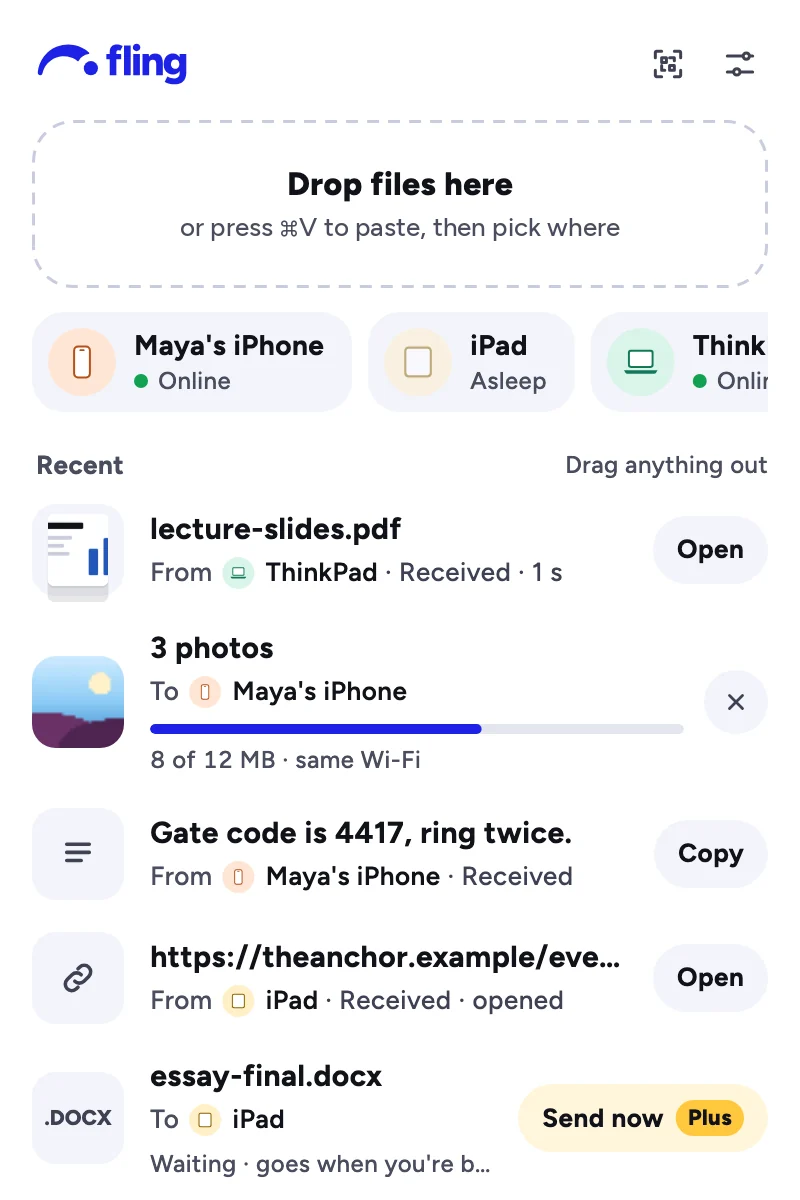

Pair, then fling.
Set it up once. After that, it's two taps or one drag.
Pair once
Open Fling on two of your devices and scan the code on one with the other. No account, nothing to type.
Fling it
Pick photos, files or text, then where it goes. On a Mac, drop it on Fling in the menu bar.
It's there
Photos land in Photos, files in Downloads, text on the clipboard. A notification says where it came from.
Anywhere, not just nearby.
Your phone's on cellular and your laptop's at home? Fling connects them anyway. On the same Wi‑Fi, it stays on your network.
- Full quality. Photos and videos arrive exactly as they left, nothing shrunk.
- Small things wait. Text, links and sends up to 25 MB wait, encrypted, for a device that's asleep.
- Big things follow. Anything bigger goes the moment both devices are on.
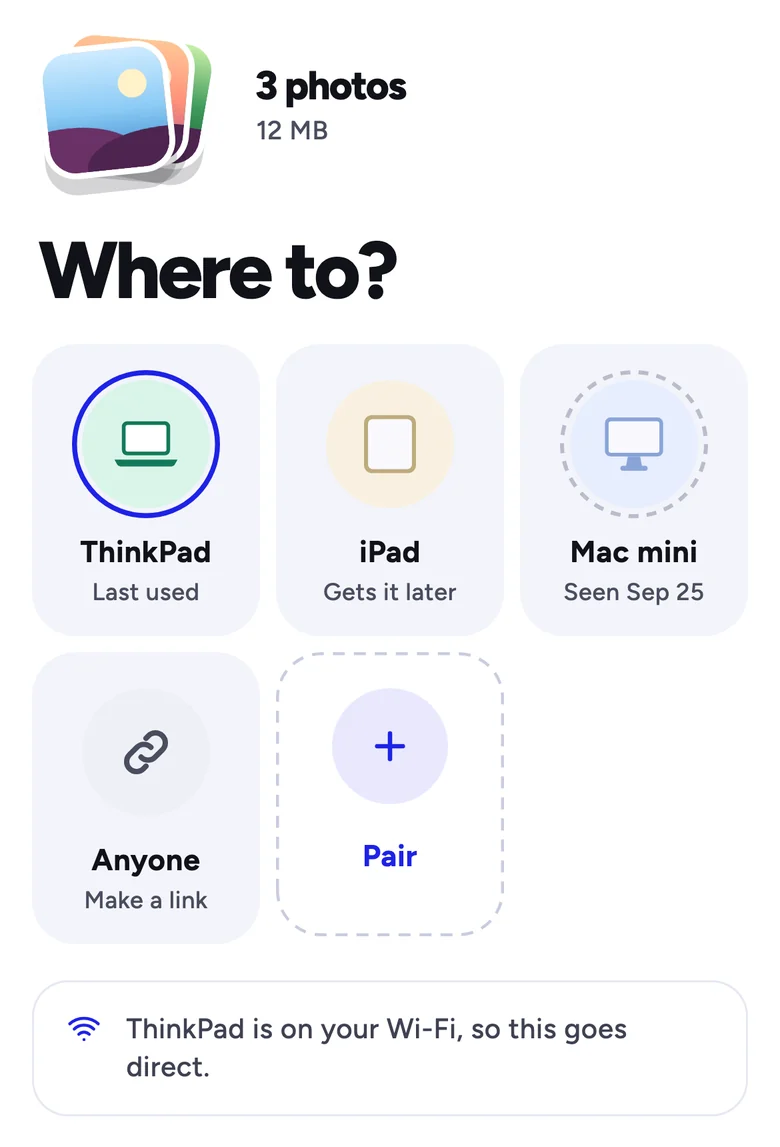
Every device you own, one fling away.
Fling fits in where you already are on each one: the share sheet, the menu bar, the tray.
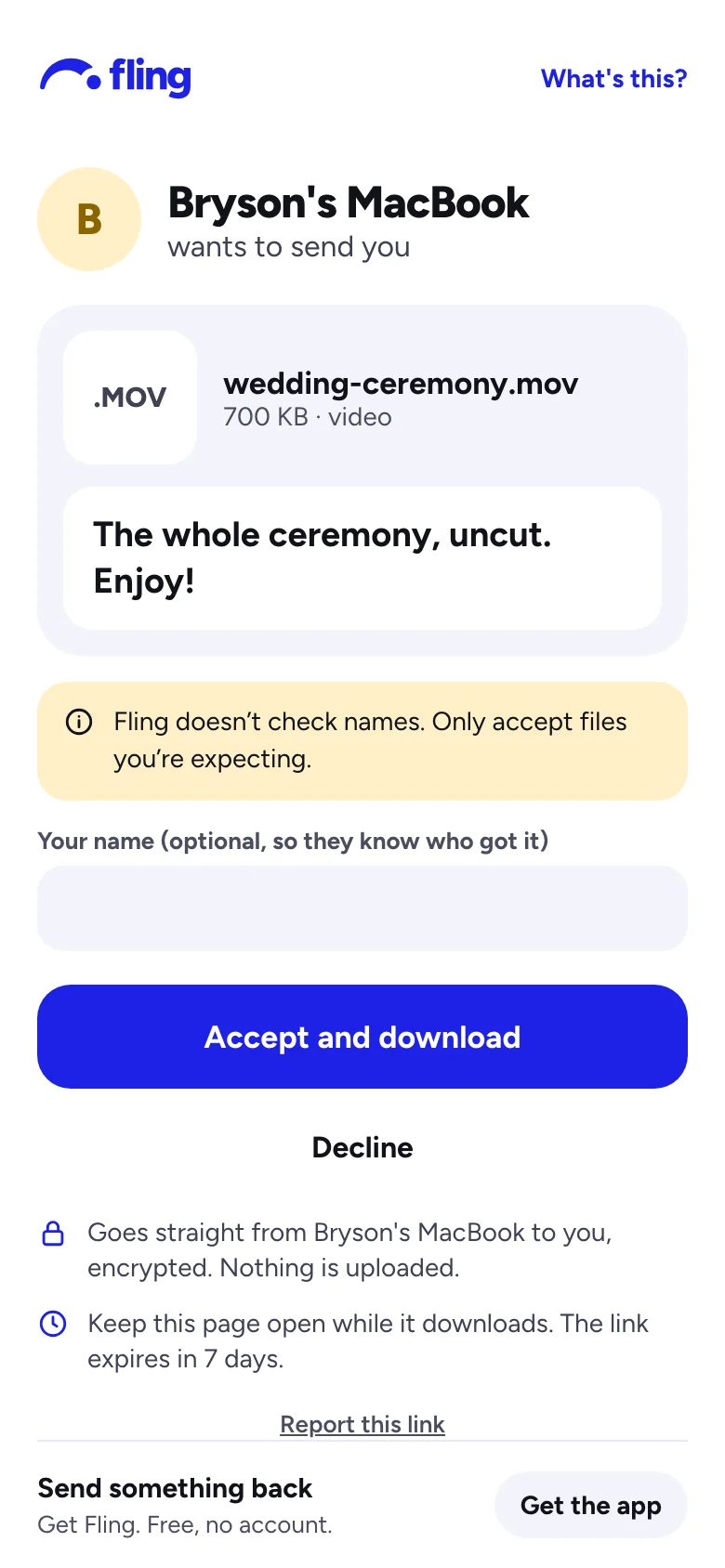
Fling a link to anyone.
Full-quality video to anyone you text, iPhone or Android. They don't need Fling.
- They tap Accept, and the file comes straight from your device.
- Nothing is uploaded. No copy sits on a server, so there's nothing to clean up.
- Made for group chats. One link works for up to 5 people, for 7 days.
Keep your device on until they have it.
Private by design.
No account, end-to-end encryption, and a plain answer to what our server can see.
No account
Each device makes its own keys. Your devices know each other by those keys, not by an email address or phone number.
End-to-end encrypted
Files travel over an encrypted connection between your devices. Each side checks the other's key, so nobody in between can read or change them.
What our server sees
Which devices are paired and when they're online, so it can introduce them. Sends waiting for a sleeping device are encrypted and deleted once collected, or after 7 days.
Free, really.
No ads, ever. Plus is for when big things have to get there.
Free
- Anything, any size, whenever both devices are on.
- Text, links and up to 25 MB even when the other device is asleep.
- Links to anyone, for up to 5 people.
- All your devices. No limit on how many you pair.
Plus At launch
- Videos and big batches wait for a device that's asleep.
- Already there on your iPhone when you open it.
- Automatic clipboard and watched folders.
- One purchase covers every device you've paired, with no account.
Questions
Do my devices need to be on the same Wi‑Fi?
No. Fling connects them over the internet when they're apart, and stays on your network when they're together. A few strict networks (some offices and hotels) block direct connections; a fallback for those is on the way.
Do I need an account?
No. You pair by scanning a code. There's no email, phone number or password.
What if the other device is asleep?
Text, links and sends up to 25 MB wait for it, encrypted, for up to 7 days. Bigger sends go as soon as both devices are on.
Can you see what I send?
No. Files go between your devices, encrypted end to end. Our server helps them find each other, and holds small sends for sleeping devices encrypted with keys only your devices have.
Is it really free?
Yes. Everything on this page is free, with no ads. Plus, for big sends to devices that are asleep, comes at launch.
When can I get it?
We're testing it now on Mac, Android and iPhone, with Windows next. Leave your email and we'll write once, when it's ready.
Your devices, finally on speaking terms.
Be first to try Fling.